B2B Product
Shipped
V1.V2.V3
When Accessibility Works But Nobody Wants to Own It
Redesigning Sociability's accessibility widget and the 0→1 business portal built alongside it.
From a 2023 MVP to a strategic partnership platform
ROLE
Product Designer - Led end-to-end
TIMELINE
V1 2023 · V2 2025 · V3 2026
SPRINT
1.5 weeks (V2)
TEAM
CEO · 1 Engineer · Customer Success Team
THE PROBLEM
Sociability's 2023 accessibility widget worked, but its fixed branding and limited customisation were blocking adoption. Clients loved what it did. They just didn't want to put it on their websites.
THE SOLUTION
A full visual redesign with three curated themes, six display options, and a self-serve configuration interface built in 1.5 weeks alongside a wider 0→1 business portal.
THE OUTCOME
Engagement tracking live across Benugo, Searcys, and Colicci for the first time.
ALSO IN THIS PORTFOLIO
The business portal, of which the widget configuration interface is one part, is its own end-to-end case study. Two products, two stories.
01 - OVERVIEW
Designing both sides of an accessibility product
Sociability helps disabled people find and navigate venues based on their specific needs, not a generic wheelchair symbol, but real, detailed accessibility data. The widget is Sociability's B2B product: an embeddable component businesses add to their websites so visitors can see that data before they arrive.
For a disabled person planning a night out, it answers the question "Can I actually get in, move around, and enjoy this place?" before they leave home.
I was responsible for designing this product across two major versions. In 2023, I built the widget from zero as part of a wider 0→1 initiative. In 2025, I led a full redesign and simultaneously designed the business configuration portal from scratch. Two interconnected products, one sprint.
This case study focuses on V2, with V1 as context and V3 as where the thinking went next.
02 - CONTEXT
What I Walked Into in 2023
Before V1 existed, accessibility information on business websites was everywhere and nowhere at once. Venue data lived inside Sociability's systems, but there was no clean way for businesses to surface it. When it did appear, it was fragmented, critical details buried under collapsing menu, photos disconnected from their sections, no clear hierarchy to guide someone making a real access decision.
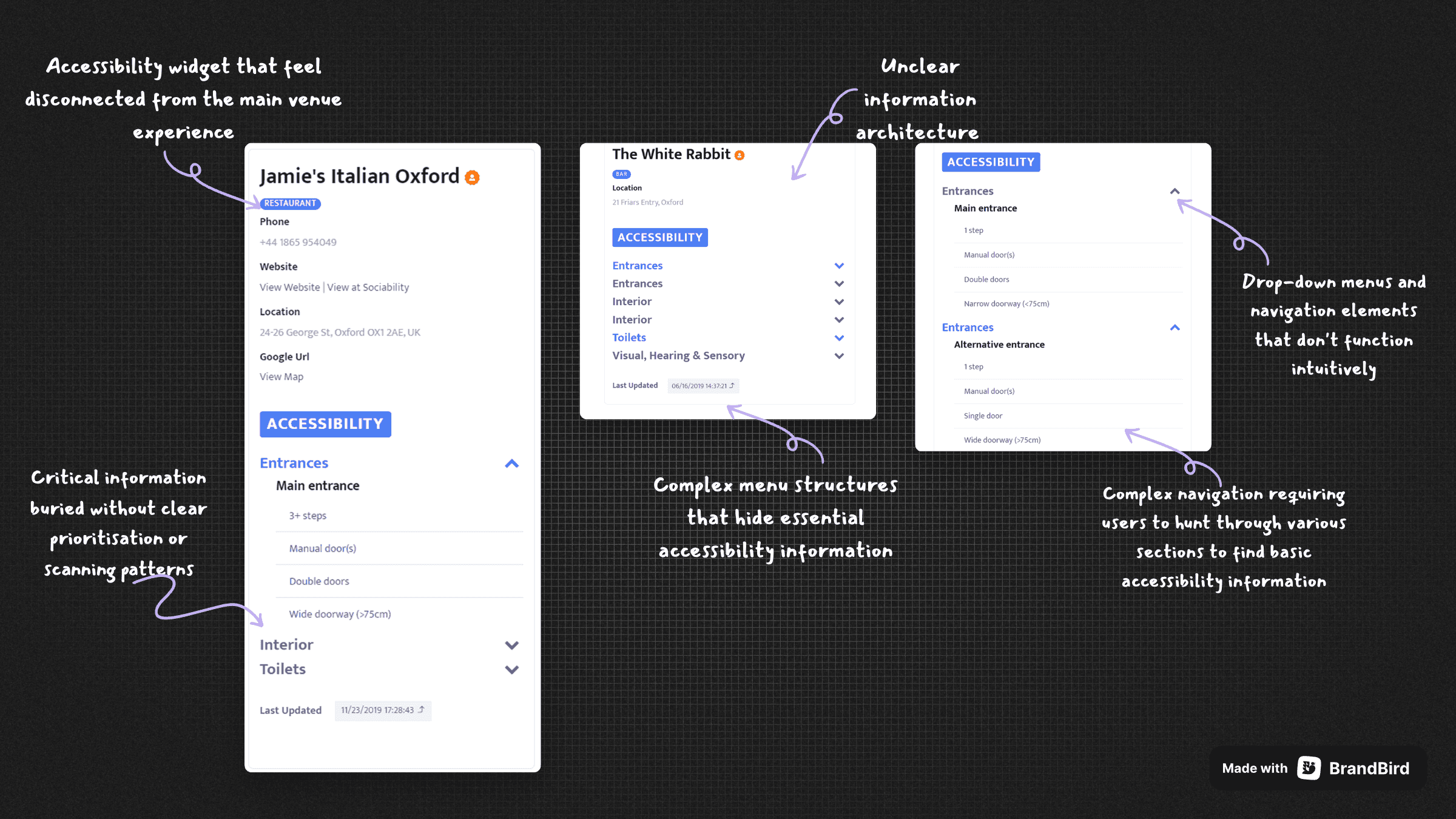
The state of accessibility information before V1, unclear architecture, buried critical details, unintuitive navigation
There were no direct competitors offering an accessibility widget as a standalone B2B product, genuinely uncharted territory. So rather than a traditional competitive audit, I studied how other embeddable widget products were built: OpenTable, Stripe, Calendly, Cal.com, Eventbrite, and Intercom. Not for accessibility inspiration, but to understand what makes a third-party widget trustworthy enough to embed on someone else's website.
The answer was consistent: lightweight, visually calm, copy-paste simple.
V1 scope - how we prioritised
major UK hospitality clients; Benugo, Searcys, and Colicci
places across those three clients alone
benugo sites across a range of high-profile London locations
V1 proved the concept. But the traction it generated made the limitations even more visible and made V2 worth doing properly.
03 - PROBLEM
Adoption was stalling not because of functionality
By 2025, Sociability's app had evolved significantly. The widget hadn't. They no longer looked like products from the same company.
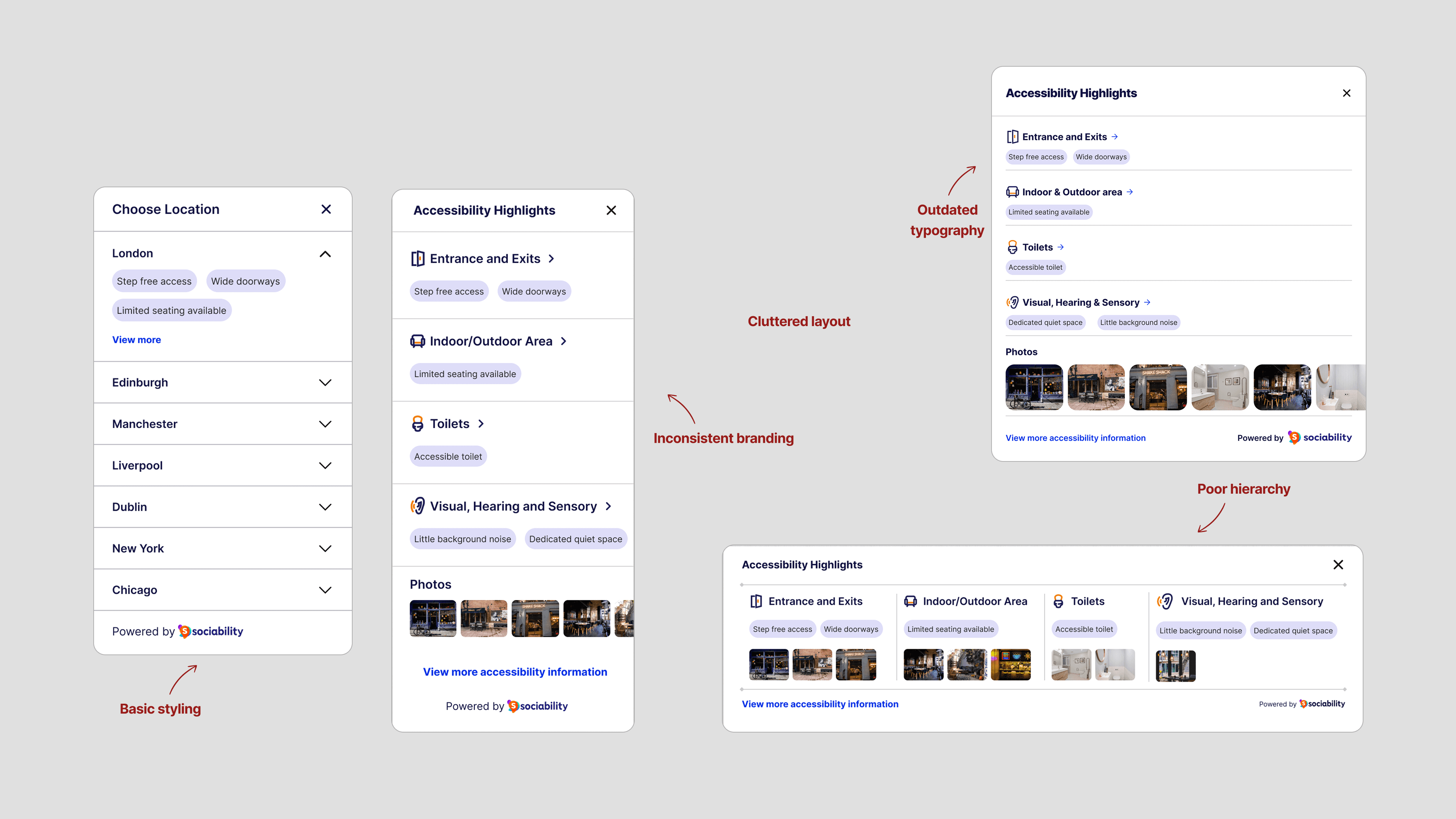
What clients were reacting to, the widget before V2
Restaurant managers would see the demo and get excited. Then they'd see the widget on their website and realise it looked nothing like their brand. We were asking businesses to put something on their site that said "powered by someone else" rather than feeling like their own feature. That's not a partnership, that's advertising they have to pay for.
The consequence was measurable. Clients like Liverpool ONE and Grosvenor had access to the widget but continued using simple URL links instead, choosing a worse user experience over a widget that didn't fit their brand. That's not a preference; that's a design problem with a direct cost
What client told us
04 - RESEARCH & DISCOVERY
Two problems hiding as one
Working closely with the Customer Success team, who were in regular contact with clients including Benugo, Searcys, and Colicci, a consistent theme emerged. The barrier wasn't functionality. Clients loved what the widget did. The barrier was perception: "It doesn't look like ours."
That's a deeper need than a colour preference. It's about ownership and brand trust; the feeling of showcasing something you're proud of versus something you're embarrassed by.
A separate structural problem surfaced on the installation side: every widget was created manually by the Enterprise ops team and passed as embed code to client engineers. No self-serve, no preview, no control. A bottleneck that would only compound as client numbers grew. V2 had to solve both the widget and the configuration experience.
How might we...
Create a theme framework that prevents brand conflicts without compromising Sociability's design integrity?
Modernise the visual language to reflect the quality of our evolved main platform?
Give businesses real customisation control without overwhelming them with options?
Design a system that works equally well for a single restaurant and a national chain?
Balance showing the right accessibility information while driving traffic back to the Sociability platform?
05 - IDEATION
Decisions that shaped the product
Not everything survived. The things that didn't are as important as the things that did.
The constraint that focused everything
1.5 weeks. A small team. I was designing the widget redesign and the widget configuration interface as part of a wider 0→1 business portal. Decisions made in the configuration interface directly shaped what appeared on host websites, and vice versa. No room for dead ends.
Directions explored
Hover to interact
V1・4 directions
V2・2 directions
Cut
01
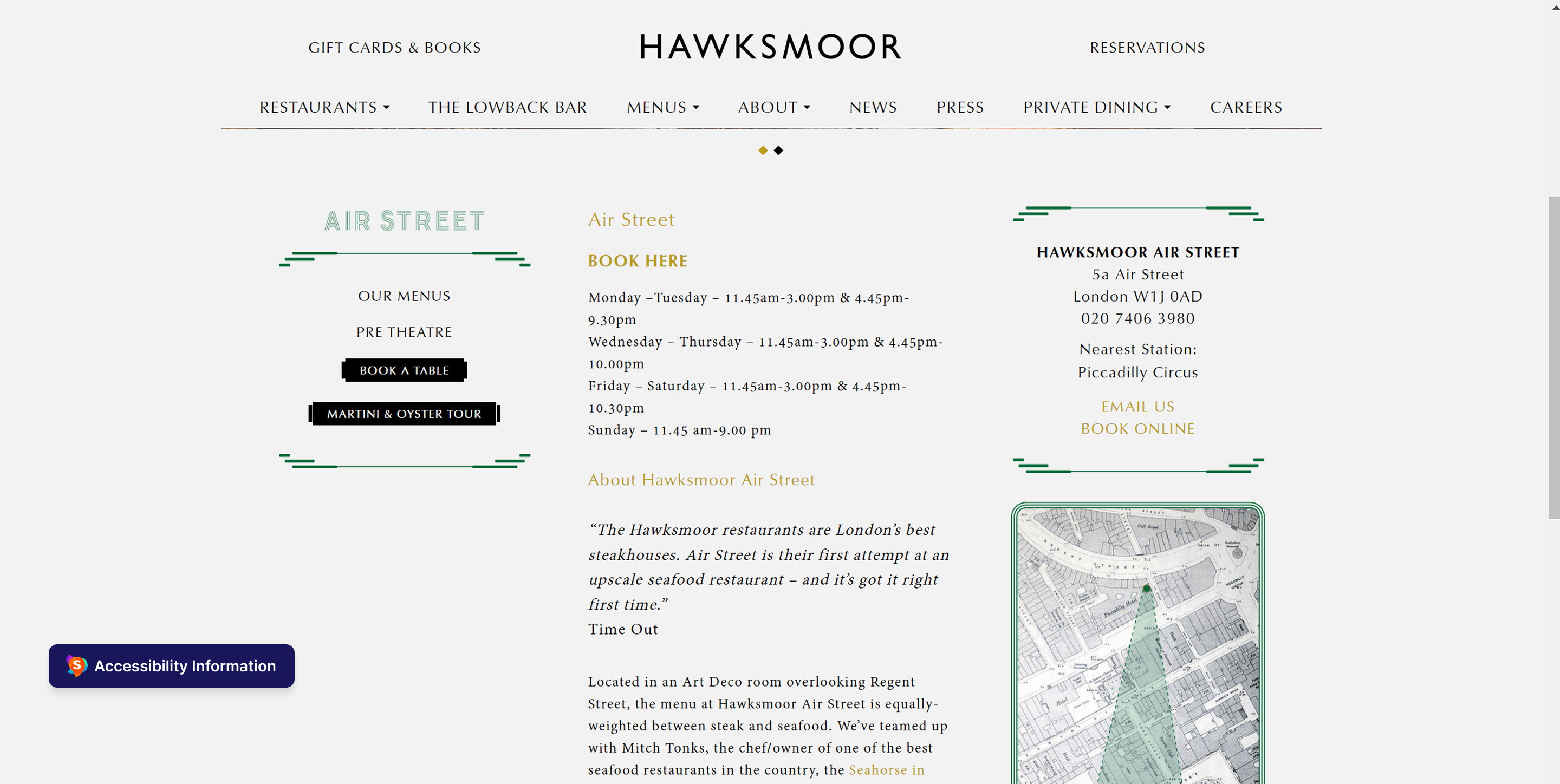
Floating trigger button
Early concept for a persistent corner button. Cut after consistent feedback: it would be mistaken for the host website's own accessibility feature. Created ambiguity about ownership and eroded trust from the first interaction.
Per-section photo embedding
Horizontal layout
Location tags inside city dropdown
06 - SOLUTION
Two products designed as one system
I redesigned the full visual language, updated type scale, spacing, iconography, and components aligned with Sociability's current platform. The information architecture from V1 was preserved; the presentation was overhauled end to end.
Visual evolution - 2023 to 2025

2023
Outdated typography,
Inconsistent branding
Poor hierarchy
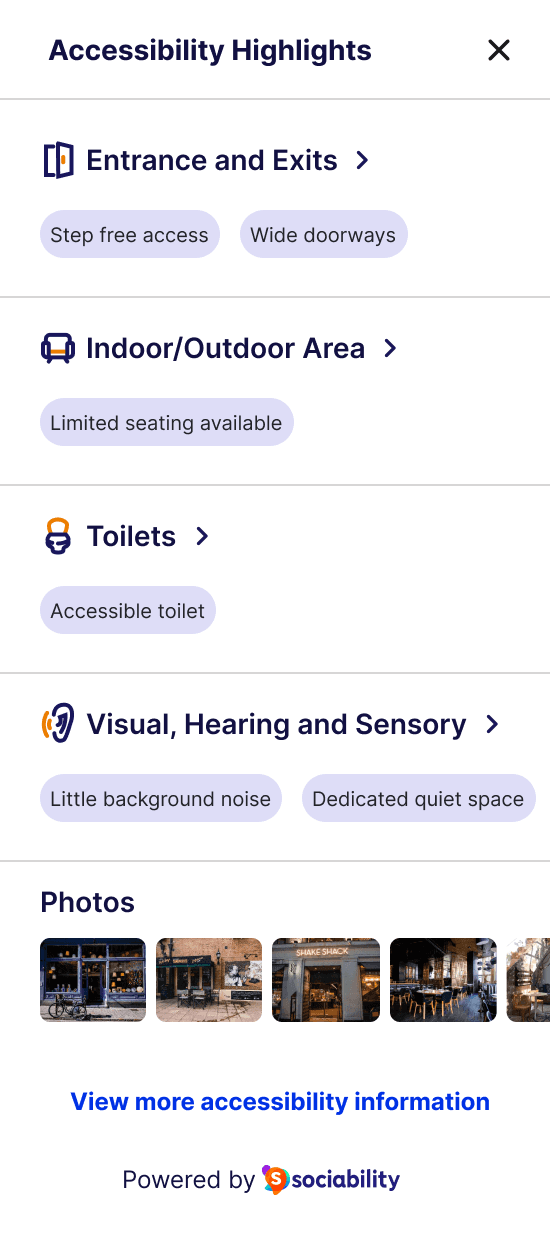
2025
Refreshed type scale
Aligned design language
Cleaner information hierarchy
Same information architecture. Completely elevated experience.
Controlled flexibility over unlimited flexibility
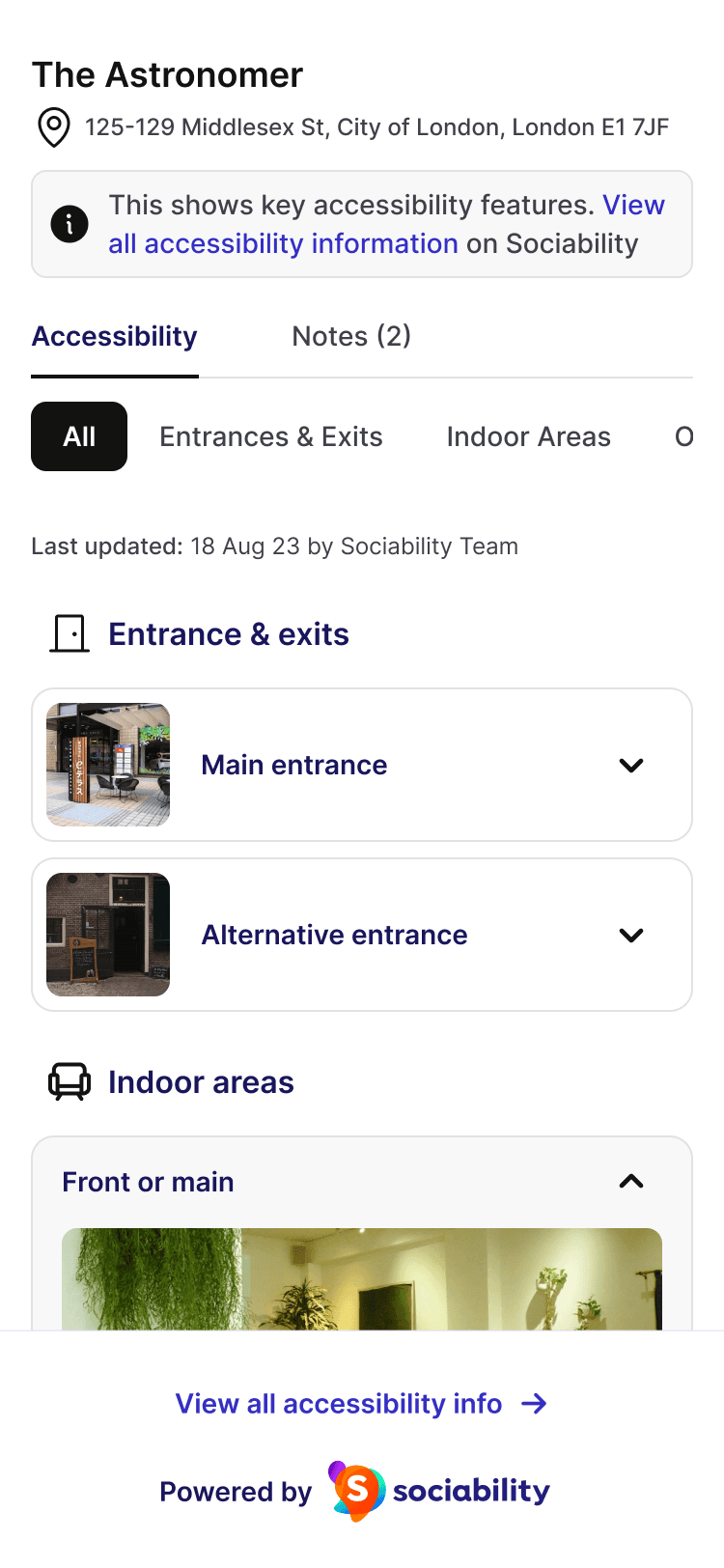
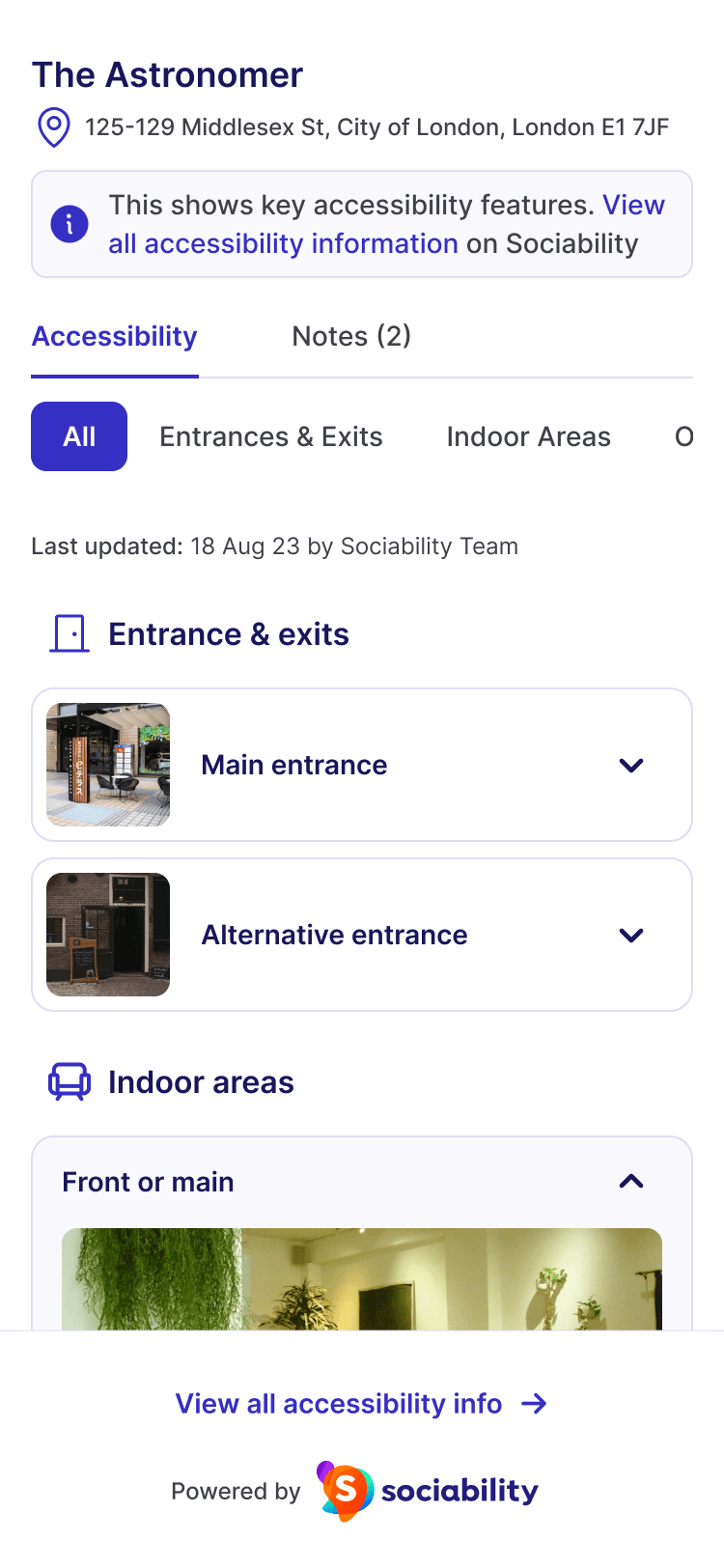
Three curated theme presets, not a colour picker. A considered set giving businesses a genuine choice without introducing WCAG accessibility risk.
Standard
Sociability's signature purple. For businesses proud to visibly partner with Sociability.
Neutral
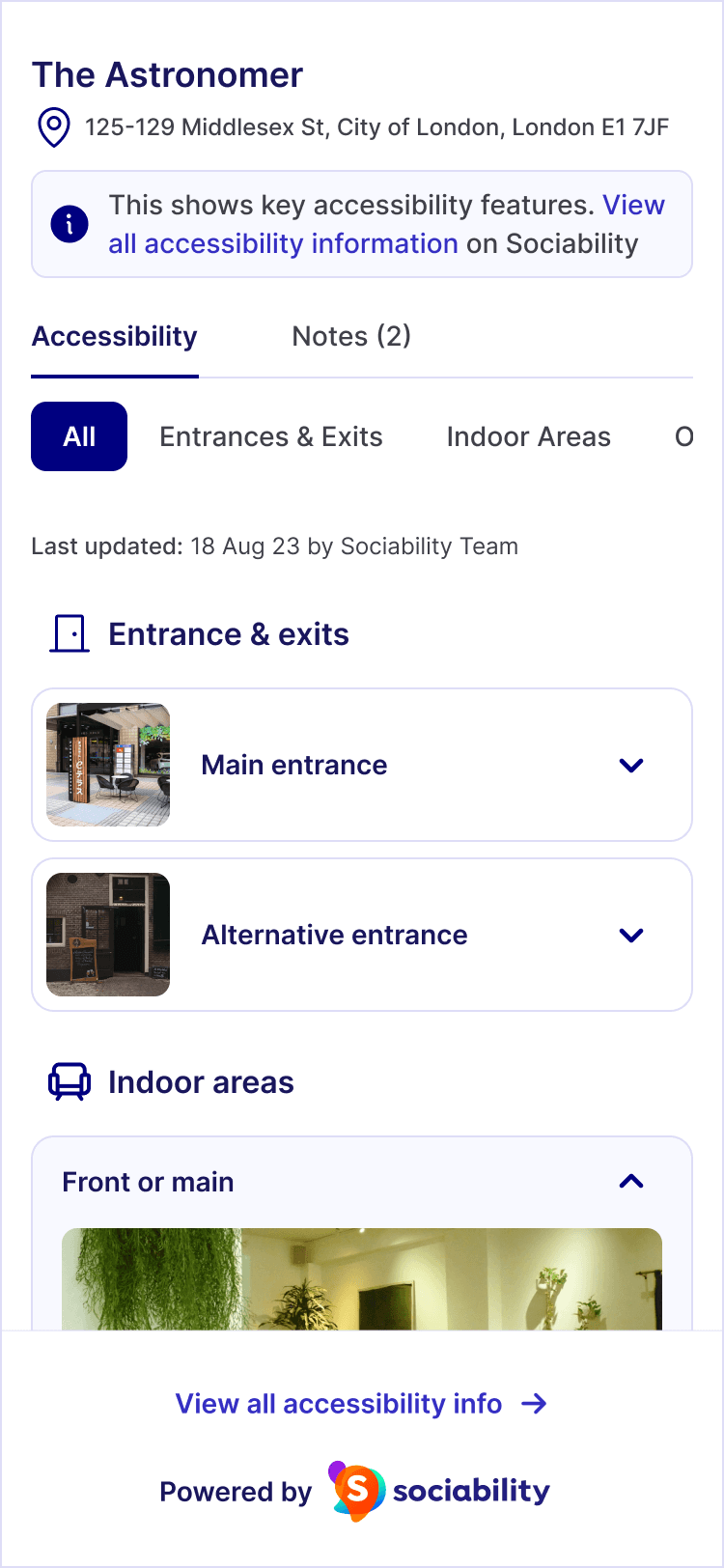
Fully greyscale. A conflict-eliminator sits quietly within any brand's design system.
Blue
Professional alternative that works across most corporate and hospitality websites.
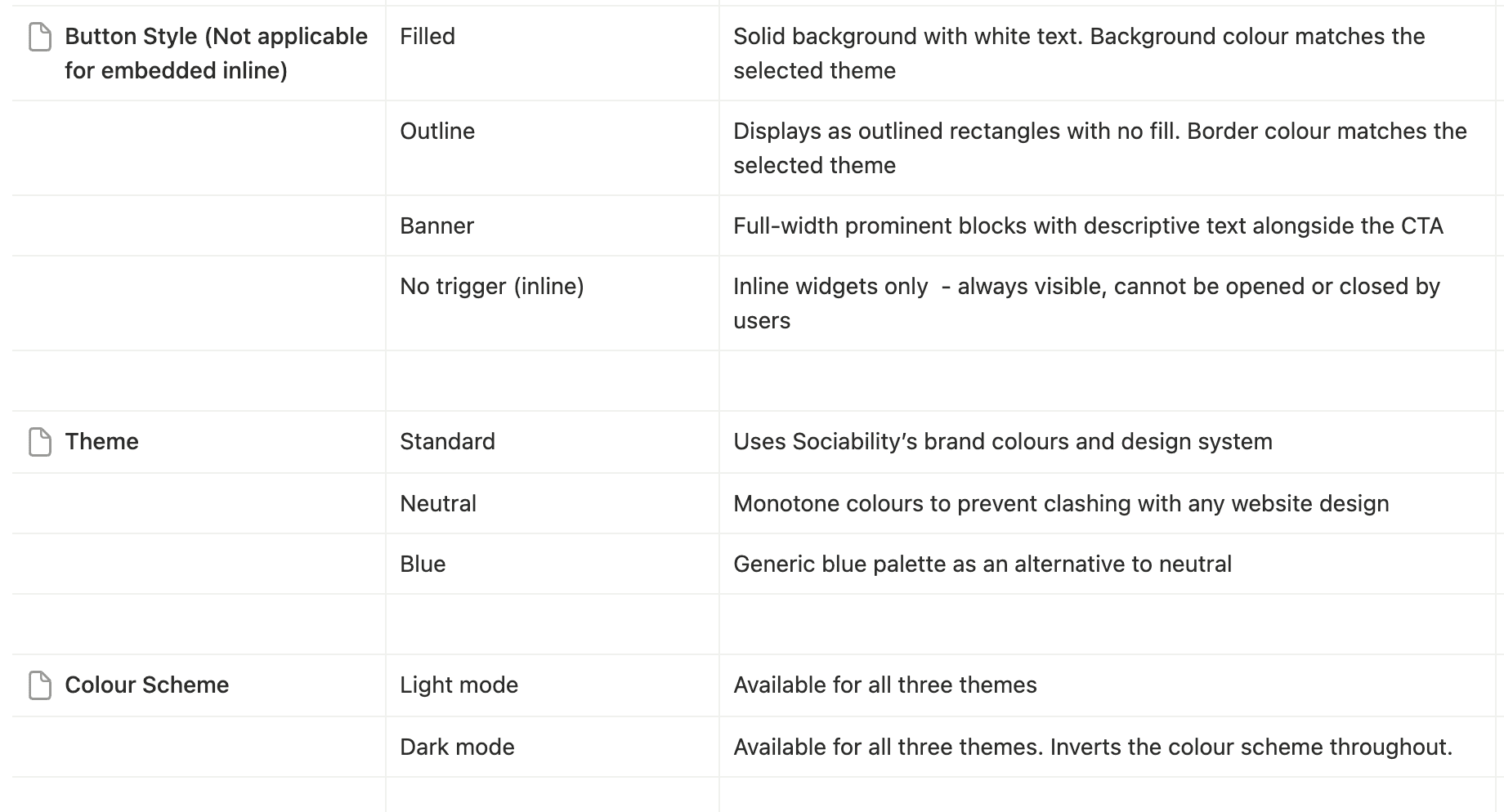
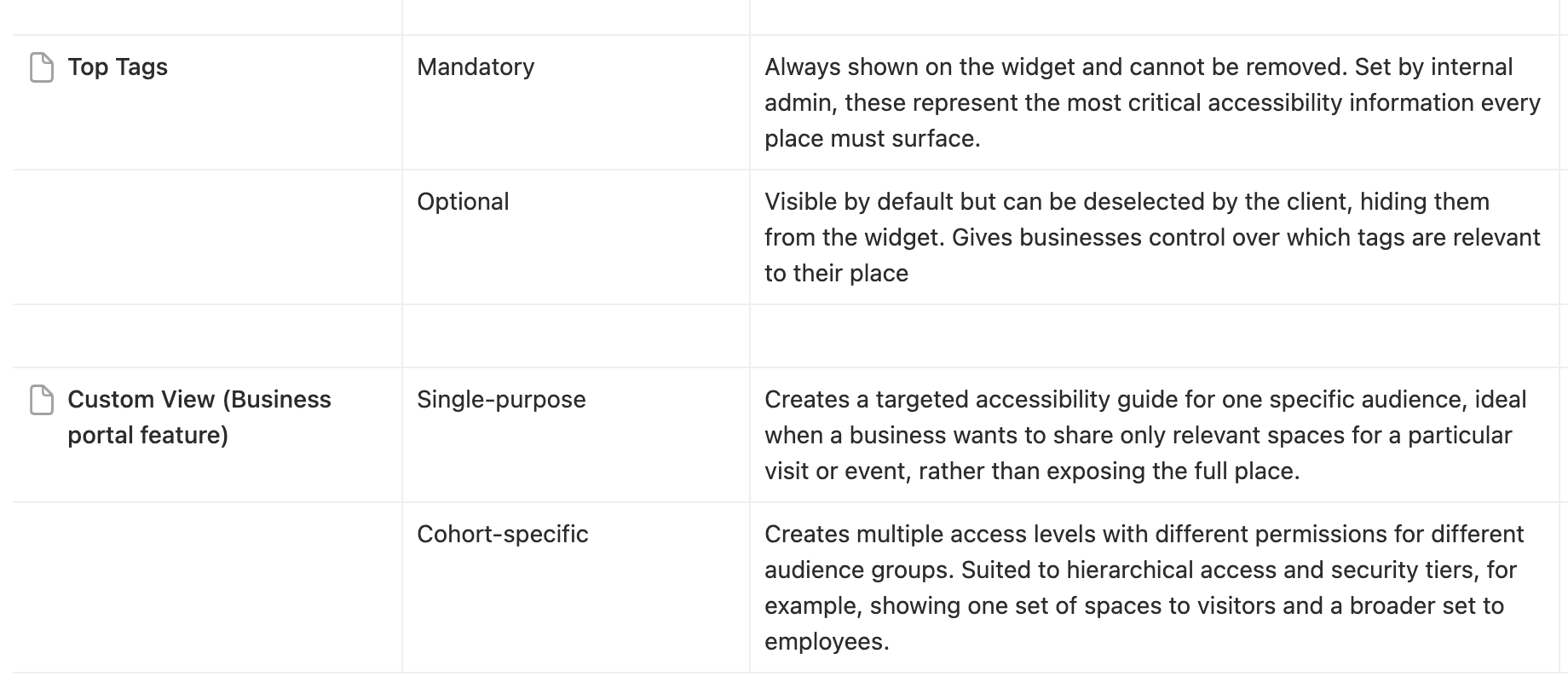
Three themes, each with light and dark mode, six distinct presentations, zero WCAG risk
Annotations & interactions
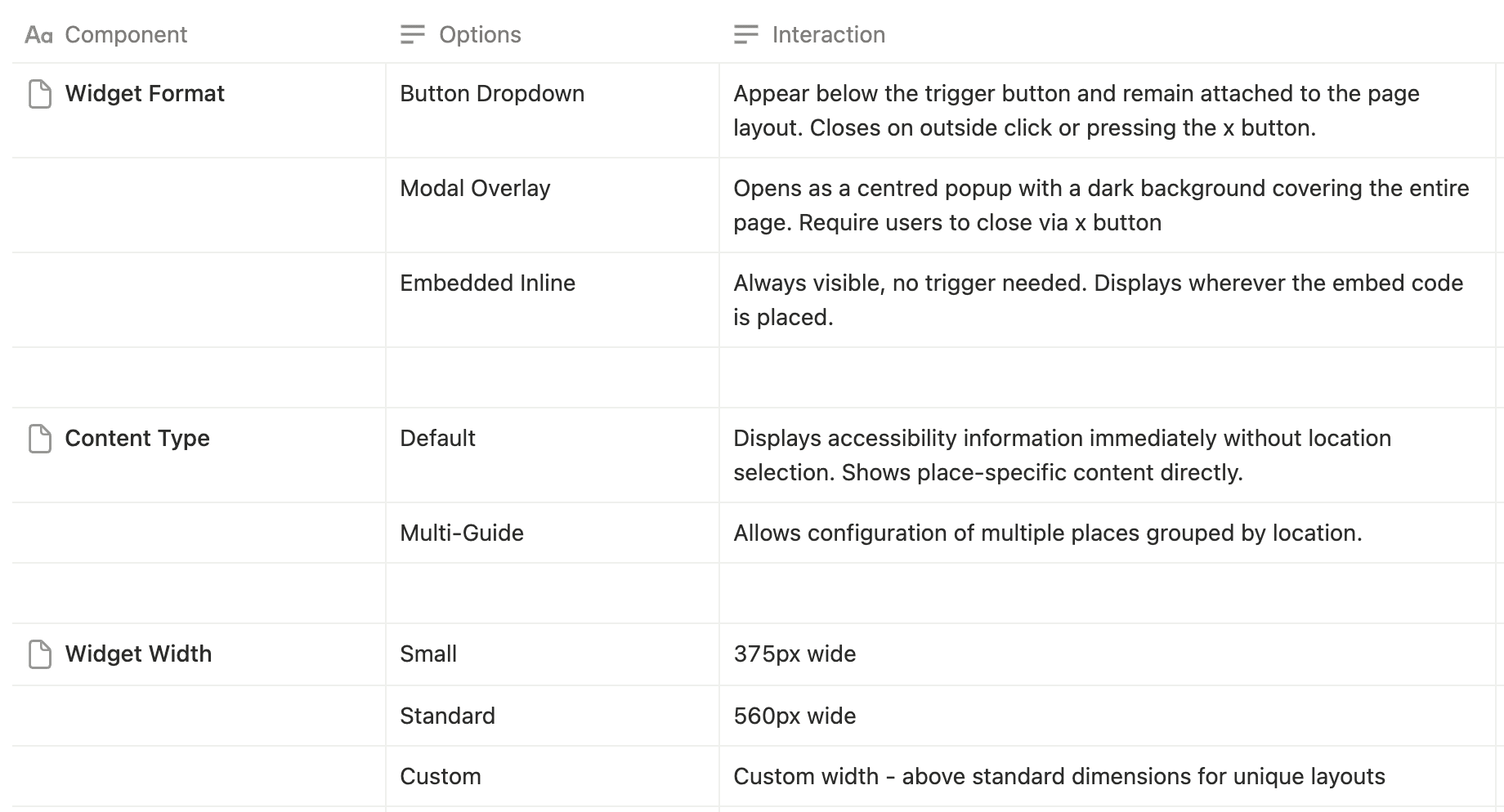
Every configuration decision maps to a specific interaction; this is the full system.
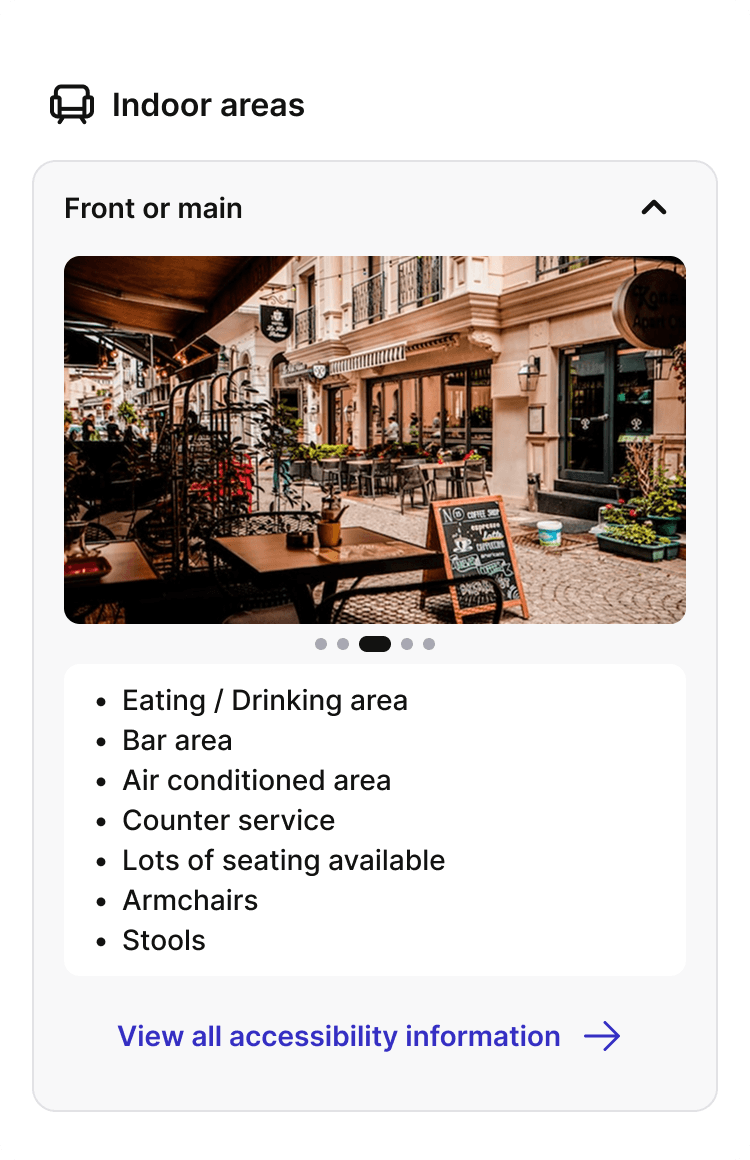
Strategic decision, deliberate content restraint
The widget deliberately doesn't show all of a venue's accessibility information. It surfaces only the most critical "top tags", pre-selected by Sociability but configurable per venue. More details are available on the Sociability platform, accessible via the "View all accessibility information" CTA.
Prevents information overload for visitors making quick pre-visit decisions
Keeps the widget lightweight enough to sit within any business website
Creates a strategic traffic loop back to the full Sociability platform
Widget configure interface
Configure, preview, copy, paste. Done.
Before V2, every widget was built manually by the Enterprise ops team and handed to client engineers as embed code. As part of a wider business portal I was designing in parallel, I created the widget configuration interface, giving businesses direct control over their widget for the first time
Note: the widget configuration interface is one feature with a large 0→1 business portal, a separate product on its own case study in this portfolio

Business Configuration Portal
Setup, Style, and Content tabs, progressive, structured configuration flow
Live preview panel, exact widget output updates with every change, in real time
Embed code with one-click copy
Sales tool - Framer demo site
I built a demo site on Framer showcasing the widget. It replaced the static screenshots previously used in client pitches and became an active tool for the Customer Success team in every new business conversation.
07 - IMPACT
Accessibility information reaching more people
Widget engagement - past 12 months
Benugo
599
widget views
1,045 total
57% via widget
Searcys
262
widget views
473 total
55% via widget
Colicci
47
widget views
270 total
17% via widget
Tracking only became possible after the V2 redesign, itself a meaningful outcome
Before V2, engagement tracking wasn't possible at all. The redesign didn't just improve the widget, it created the infrastructure for measurement. For the first time, Sociability and its clients could see how many people were actually using the widget to access accessibility information.
On the adoption side, the brand conflict problem blocking prospective clients was directly addressed. One major prospect who had hesitated for months gave the green light the same day they saw the neutral theme sitting inside their website. The sales conversation shifted from "will it look okay on our site?" to "which theme works best for us?" a fundamentally shorter path to yes.
The widget configuration interface also gave the team a clearer path toward reducing the manual setup overhead that had previously required the ops team to be involved in every deployment, an important step toward a more scalable integration model.

Default widget in the wild with Locatelli [2025]
Multi-Guide widget in the wild with Searcys [2025]
08 - V3 REDESIGN
Alignment that turned into redesign
V3 started as housekeeping: move the widget onto the design system we'd built for the main platform, so future updates propagate without a redesign sprint. But aligning components means looking at every screen again, and I kept coming back to the visitor's actual question. Someone lands on a business's website wondering: can I get in, can I get around, is anything broken today?
The widget answered none of those quickly. You had to decode raw tag lists, and urgent problems had nowhere to appear at all.
That reframed the work around one principle:
The widget is a preview that hands off to the app. Every V3 change follows from it.
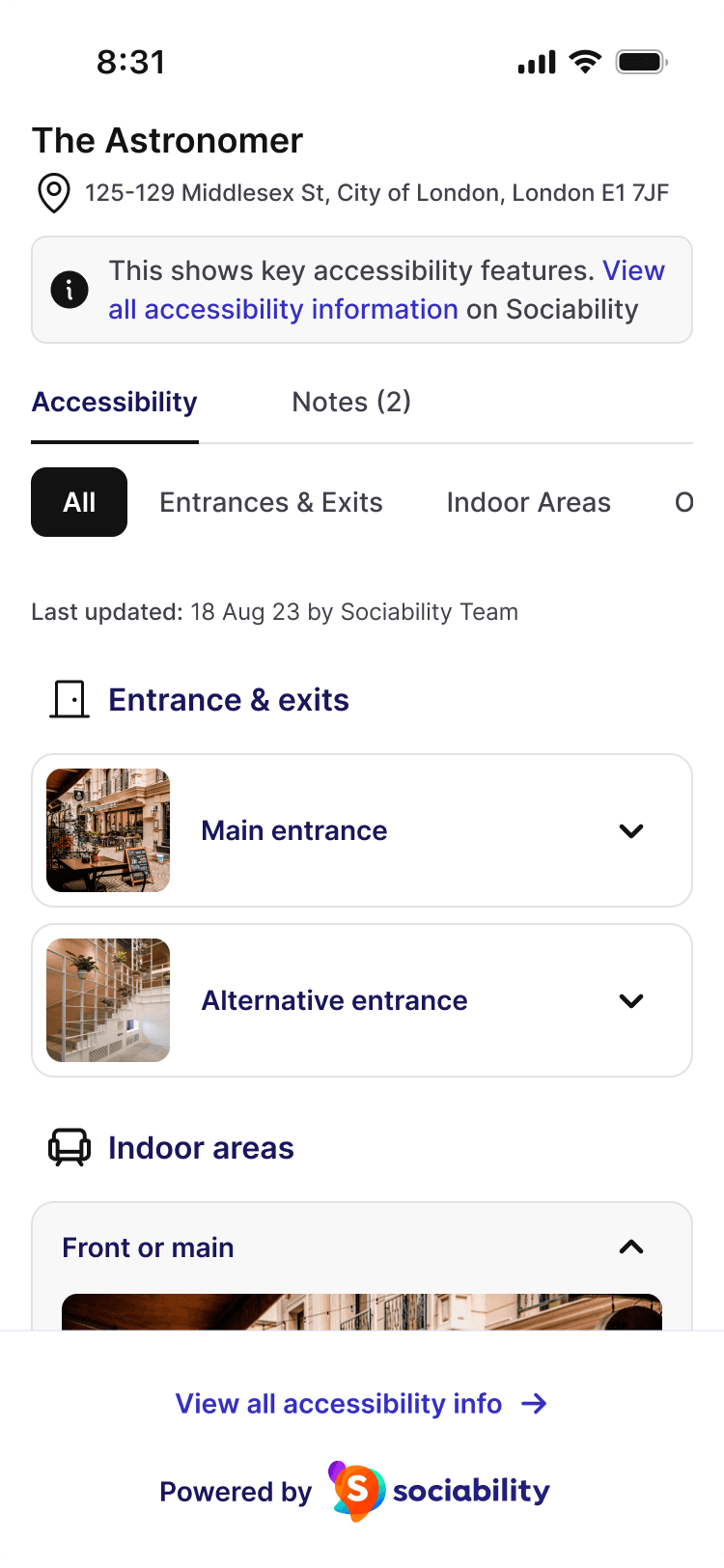
Flip 1: Urgency first, tags translated
Accessibility alerts now lead the widget "the lift is out" is the most important thing a visitor can learn, so it's the first thing they see. Below it, an AI-generated summary replaces the raw tag list with plain language.

——————
Flip 2: Content before navigation
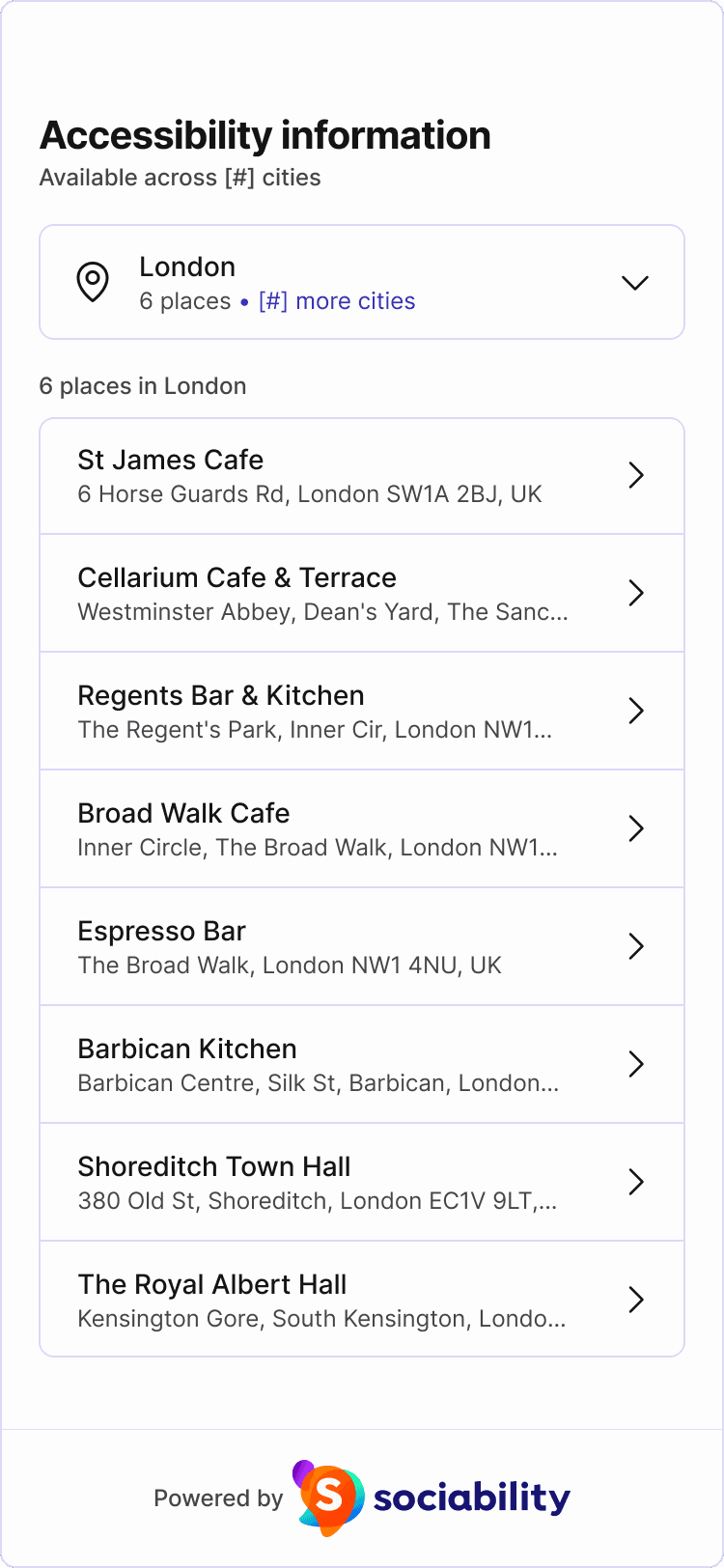
The multi-guide widget used to open as an accordion of city names, with no places visible until you expanded one. An extra click before any value is shown. Now the first city is pre-selected with its places loaded immediately. You land on content, not on a filing system.

——————
Flip 3: The visit, not the database
Complex sites were the hard ones. The old design led with our category hierarchy: Indoor Spaces -> Communal Areas -> and so on, so visitors had to learn how we grouped spaces before finding out if they could get in. But nobody arrives at a building through a category. They arrive through a door. I inverted it: the widget opens on Entrances, and navigation becomes the secondary action.


——————
TESTED IN THE ROOM
The pushback that proved the point
When I presented V3 internally, the content-first multi-guide got an immediate challenge:
"It's not immediately apparent that more than one city is present."
Fair, but reverting to full city visibility would push place content below the fold and reintroduce the exact click we'd just removed.
My call: keep content first, strengthen the signals. Multi-city discoverability is signposted twice: the "available across X cities" subtext and the "more cities" label inside the selector. If usage data shows people missing cities, we bolden those signals before we restructure the layout. The decision holds; the signposting iterates.
Every deeper path now hands off to the app. The widget stays a lightweight preview, alerts, summary, entrances, and anything beyond it opens the full Sociability platform, keeping the strategic traffic loop from V2 intact.
09 - REFLECTIONS
What I learned and where this goes
01
Consistency earns trust
The visual gap between the app and widget wasn't aesthetic; it was costing us deals. When every touchpoint feels like the same company, clients stop hesitating.
02
Preview eliminates the biggest adoption blocker
Uncertainty, not cost, not functionality, was what stalled decisions. Showing clients exactly what the widget would look like on their site moved things forward faster than any conversation could.
03
Listen past the surface request
'I don't like the purple' was never about purple. It was about ownership. Solving the right problem, not the stated one, is what made V2 work.
04
Design the system, not just the surface
What businesses configure shapes what disabled people experience. Designing both sides simultaneously kept those two realities connected throughout every decision.